Keep your SCADA. Make it work with everything else.
Your SCADA runs the process. FlowFuse extends its capabilities with applications that connect equipment, bring production data into live dashboards, automate alerts, and share information with MES, ERP, and cloud systems. Keep your existing SCADA in place while giving your team more ways to use plant data.
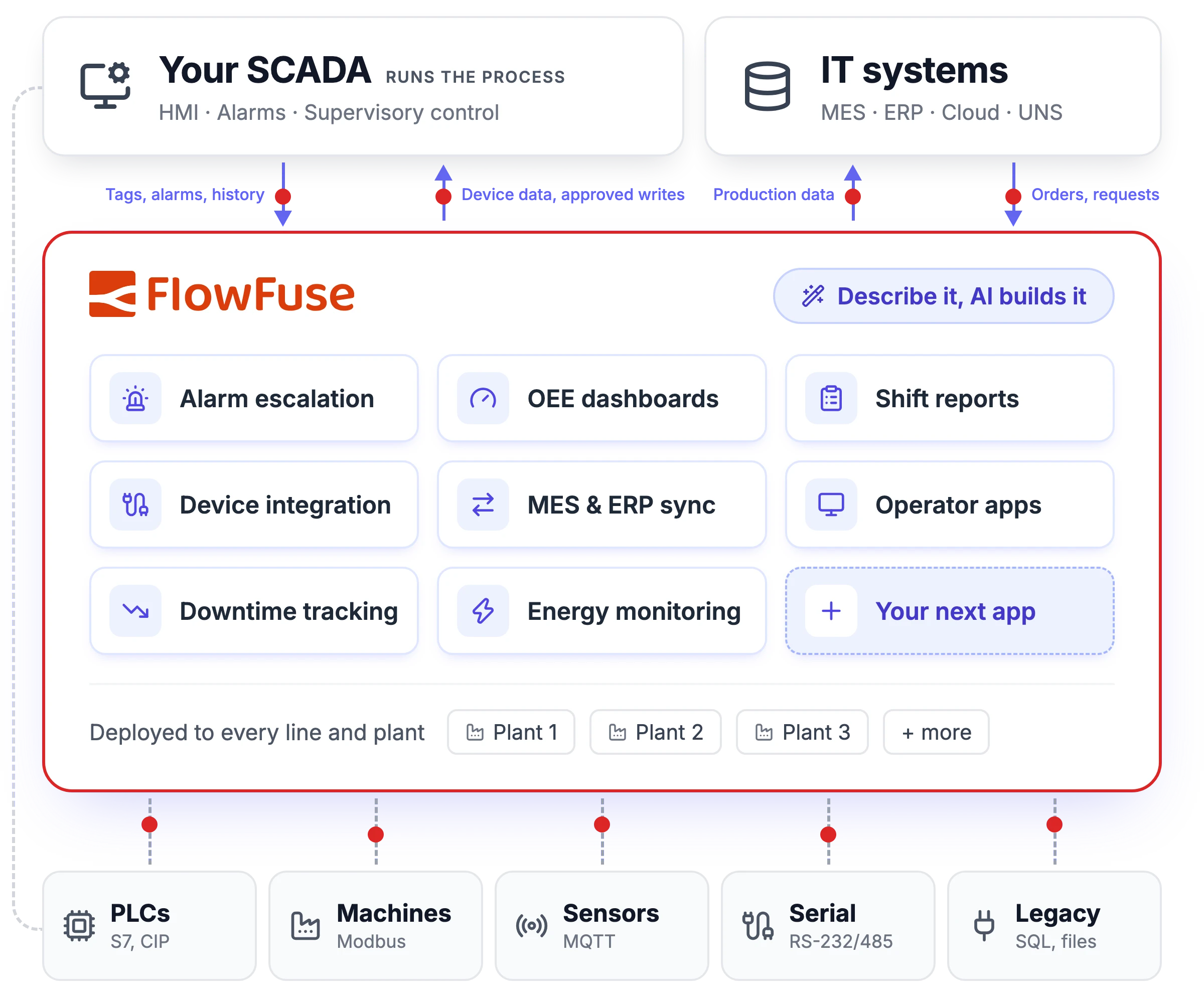
SCADA integration without touching the core.
FlowFuse connects to SCADA platforms over the interfaces they already expose: OPC UA, MQTT and Sparkplug B, SQL databases, and REST APIs. Read tags and history from the SCADA instead of polling the same PLCs twice, decide which system owns each value, and control any write-back to the process.








Your SCADA + FlowFuse are better together
Your SCADA runs the process, and it should stay that way. Most software vendors want you to rip and replace. We don't. Here's how the work splits.
Role
Your SCADA
Supervisory control, HMI screens, and alarms for the process
FlowFuse
The application layer around it: integrations, operator apps, and site-specific workflows
Data
Your SCADA
Real-time tags, alarms, and process history
FlowFuse
Data from the devices and systems SCADA doesn't reach, plus SCADA data shaped and routed to MES, ERP, the cloud, and your UNS
Changes
Your SCADA
Owned by controls engineering, under your validation process
FlowFuse
Built and changed by your own team, with AI, and approved before going live
Deployment
Your SCADA
Per your vendor's architecture and licensing
FlowFuse
Hosted and edge instances managed from one platform, across every site
AI
Your SCADA
Varies by vendor
FlowFuse
FlowFuse Expert (our built-in AI) plus MCP integration with the agents your company already approved, scoped by team and logged
| Area | Your SCADA | FlowFuse |
|---|---|---|
| Role | Supervisory control, HMI screens, and alarms for the process | The application layer around it: integrations, operator apps, and site-specific workflows |
| Data | Real-time tags, alarms, and process history | Data from the devices and systems SCADA doesn't reach, plus SCADA data shaped and routed to MES, ERP, the cloud, and your UNS |
| Changes | Owned by controls engineering, under your validation process | Built and changed by your own team, with AI, and approved before going live |
| Deployment | Per your vendor's architecture and licensing | Hosted and edge instances managed from one platform, across every site |
| AI | Varies by vendor | FlowFuse Expert (our built-in AI) plus MCP integration with the agents your company already approved, scoped by team and logged |
Capabilities vary by SCADA vendor, edition, licensed modules, and configuration.
Don't replace your SCADA. Build around it.
There's always a device the SCADA has no driver for, a report someone exports to Excel every morning, or a request for plant data that lands in an already-full controls backlog. We work with your team to build those as applications around the SCADA, so its core stays stable, and your team can run and extend them across every plant.
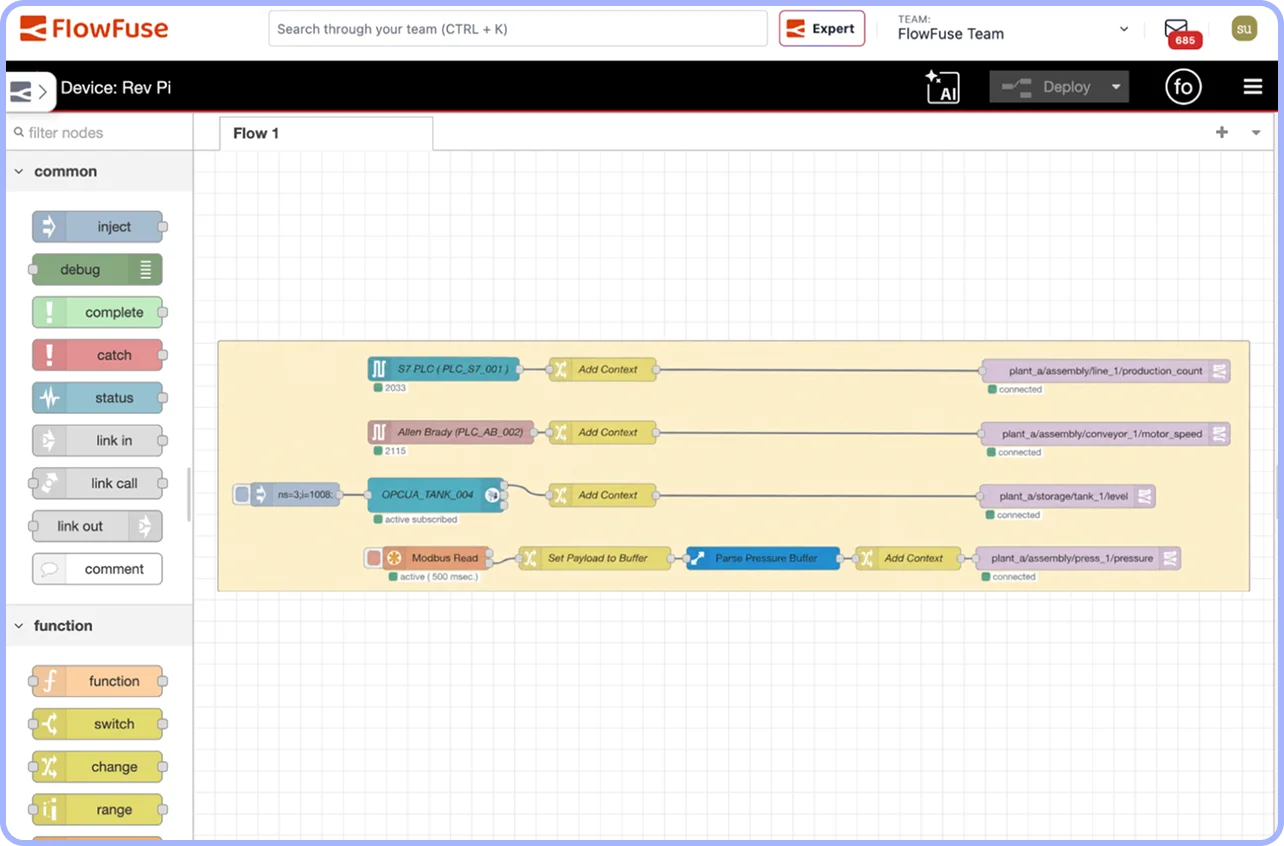
Connect what the SCADA can't
Bring in data from legacy devices, serial equipment, and systems without a native driver over Modbus, OPC UA, MQTT, Sparkplug B, REST, and more. Then route it to the SCADA, the MES, or the cloud in the format each one expects.
Browse integrations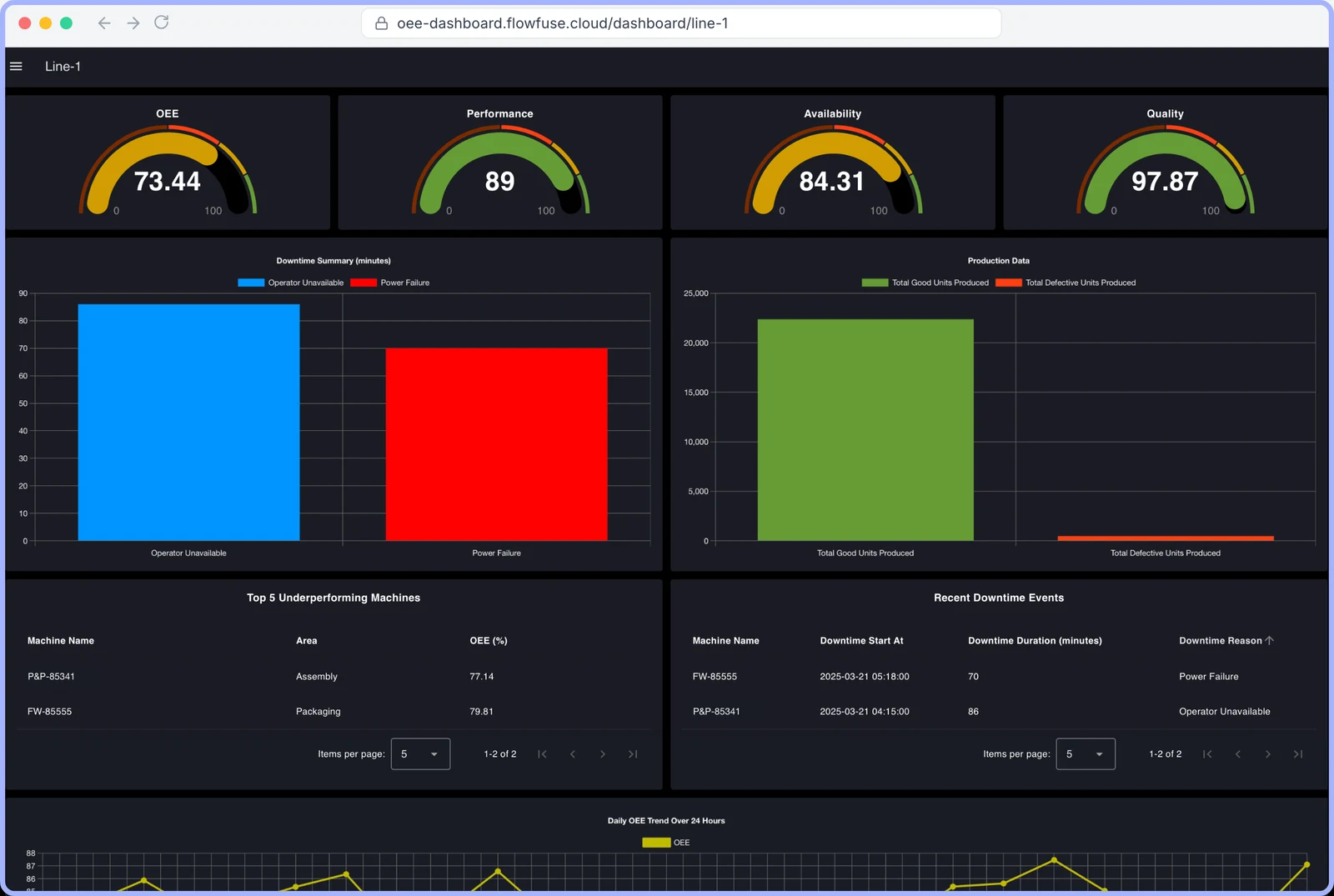
Take reporting and analytics off the SCADA
Run OEE, downtime, and shift reports outside your SCADA, keeping analytics workloads separate from control. Give production, maintenance, and management teams access to live dashboards without relying on control-room screens or manual exports.
See how FlowFuse Dashboard worksDescribe it, and AI builds it with you
Tell FlowFuse Expert what the plant needs, such as an MES handover screen or a UNS topic mapping, and it builds the application on your workspace, hosted or edge, so a small team doesn't wait on the controls backlog. Or connect the agent your company has already approved, such as Microsoft Copilot, ChatGPT, or Claude. Nothing changes until your team approves it.
Learn about FlowFuse AI and see how it builds apps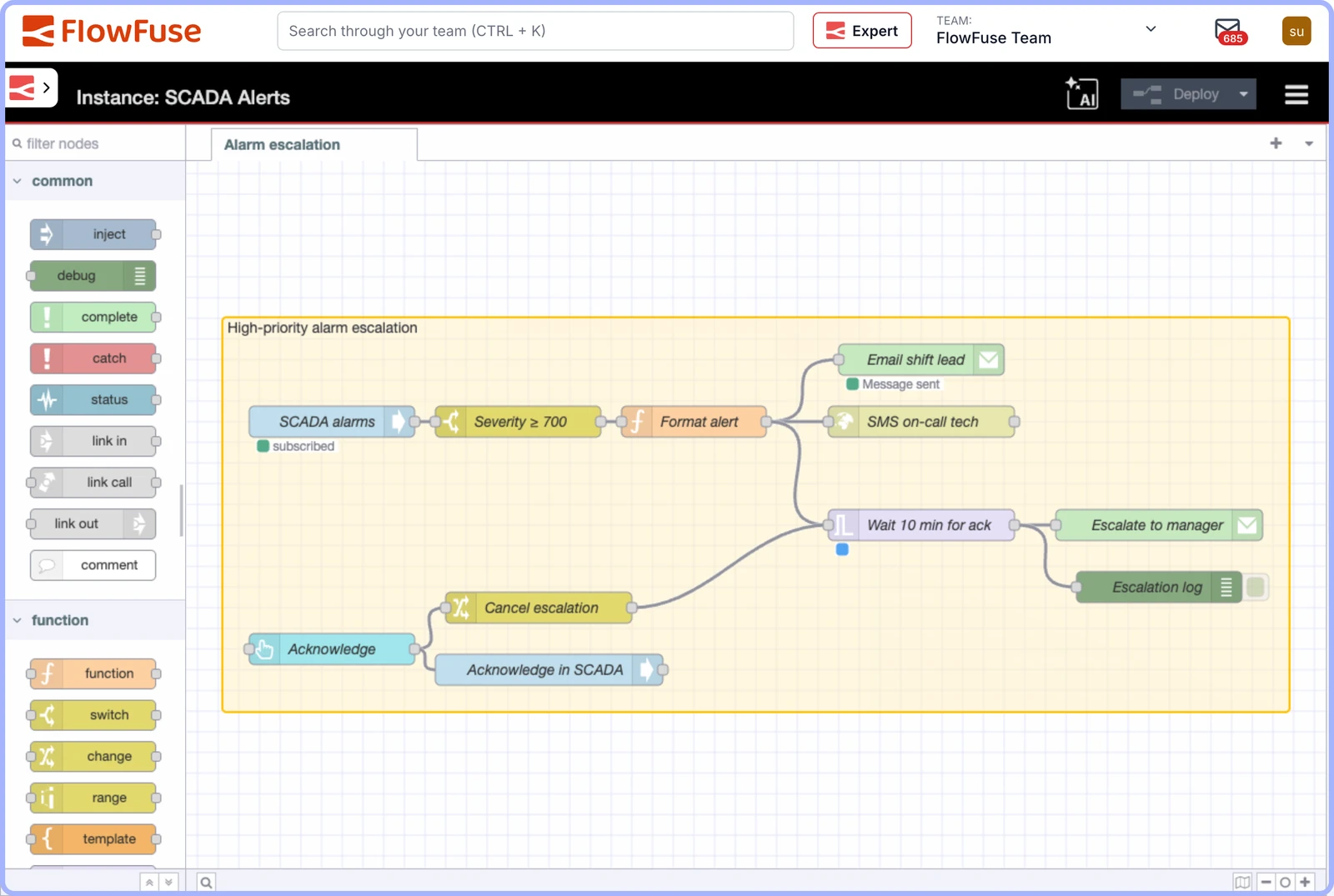
Alerts that never fail silent
Keep alarms in your SCADA and build notification and escalation workflows around them. Send alerts through supported channels, such as email and SMS, and escalate when no one acknowledges so critical events are less likely to go unnoticed.
Build your notification workflow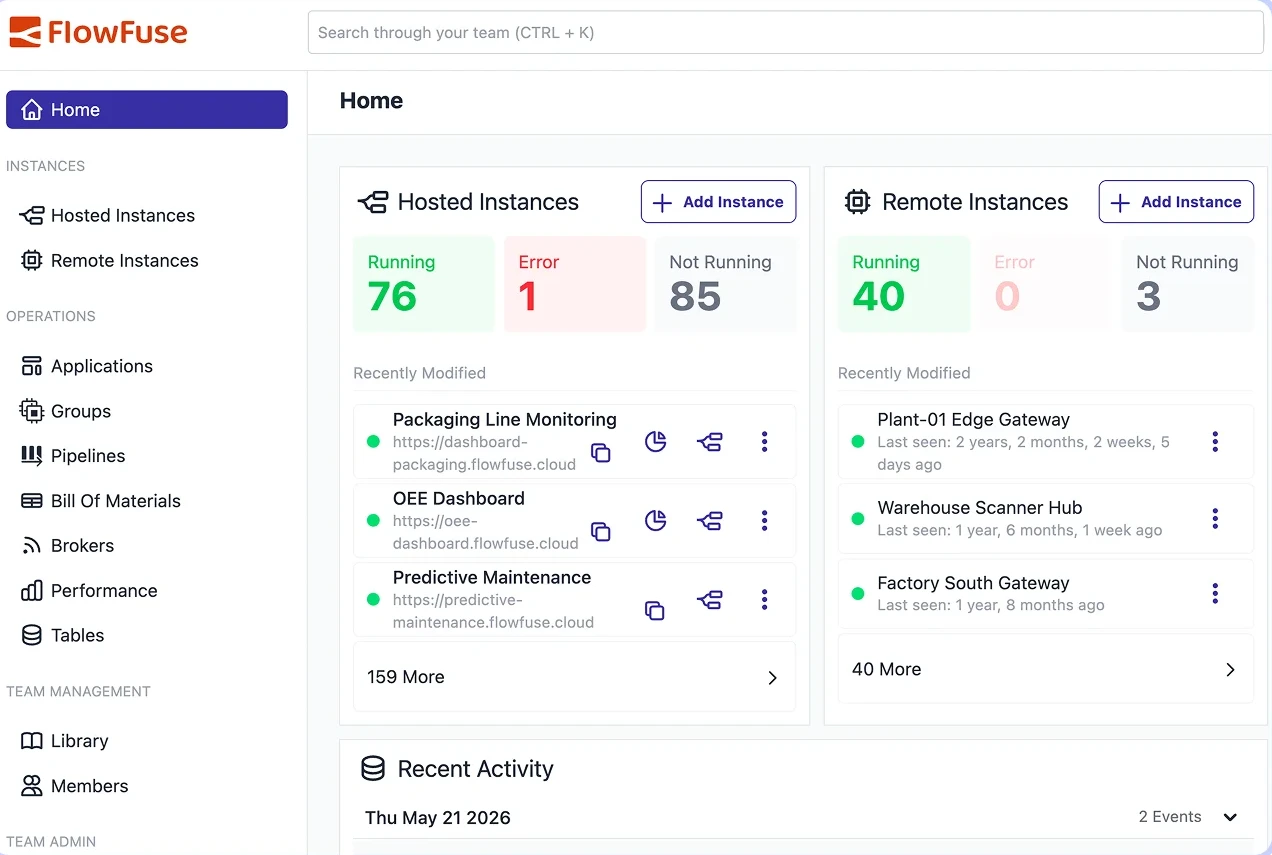
Build once, run at every plant
Build an application once, then deploy it across lines and plants from one place. Use deployment pipelines to promote changes from development to production, and version control to track application changes.
Explore the FlowFuse platformFrom real conversations
What operations teams say about building around SCADA
From discovery calls with manufacturing and utility teams, shared anonymously.
“There are many cases where the SCADA system is just not what it's meant for. Especially when you're dealing with high data throughput, very heavy data.”
Manufacturing manager
Global packaging manufacturer
Built for Enterprise Manufacturing
FlowFuse is SOC 2 Type I and Type II certified, with role-based access control, single sign-on, audit logging, and air-gapped, self-hosted deployment options, built for the security and compliance requirements of large-scale manufacturing organizations.
Review our security and compliance detailsSOC 2 Type II
Single Sign-On
Audit Logs
Role-Based Access Control
Air-Gapped / Self-Hosted Deployment